Bland AI Review: The Developer’s Choice for Voice Agents
I have spent a lot of time recently testing different AI voice platforms to see which one actually sounds human and gets the job done. I got my hands on Bland AI to see if it lives up to the hype.
Bland AI is a platform designed to build hyper-realistic phone agents. It is not just a chatbot that speaks. It is a system built to handle phone calls, transfer information, and manage complex conversations for businesses.
I decided to put it to the test by building a fully functional voice agent for a Spa and Salon business. I wanted to see if it could handle bookings, answer questions, and deal with interruptions without sounding like a robot.
Here is my honest review of Bland AI, how it works, and whether you should use it.
What is Bland AI?
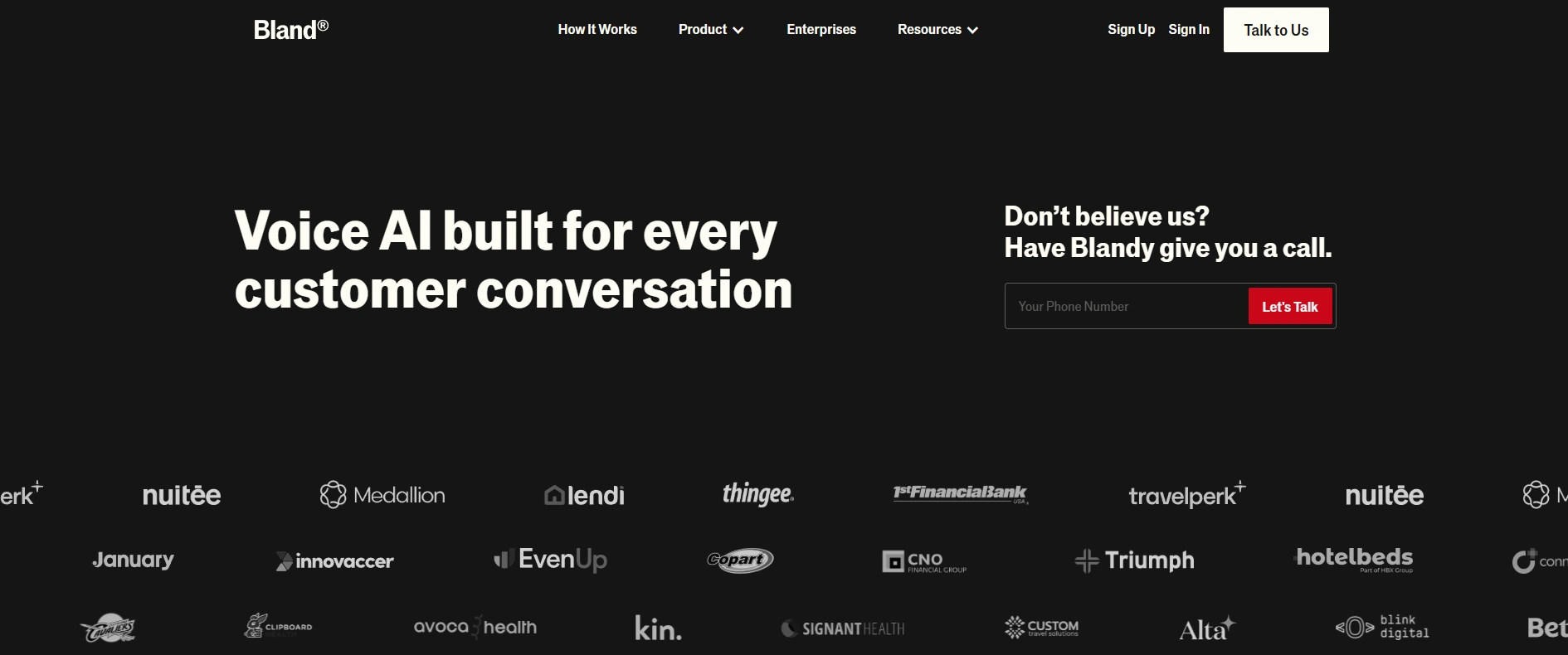 Bland AI is designed for speed and realism in voice automation.
Bland AI is a tool for creating AI agents that can talk on the phone. It is designed to be fast and realistic. The goal is to replace those annoying "press 1 for sales" menus with an AI that you can actually talk to.
They market themselves heavily on speed and realism. They claim their agents can understand emotions, handle interruptions, and execute tasks like checking calendars or updating CRMs while on the call.
Unlike some other tools that feel like simple wrappers around ChatGPT, Bland seems to have built their own infrastructure to make sure the voice latency is very low. This means the AI answers you almost instantly.
My Experience with Bland AI
I dove deep into the platform to build my Spa agent. Here is what I found regarding the interface, the voices, and the actual building process.
The Interface and Setup
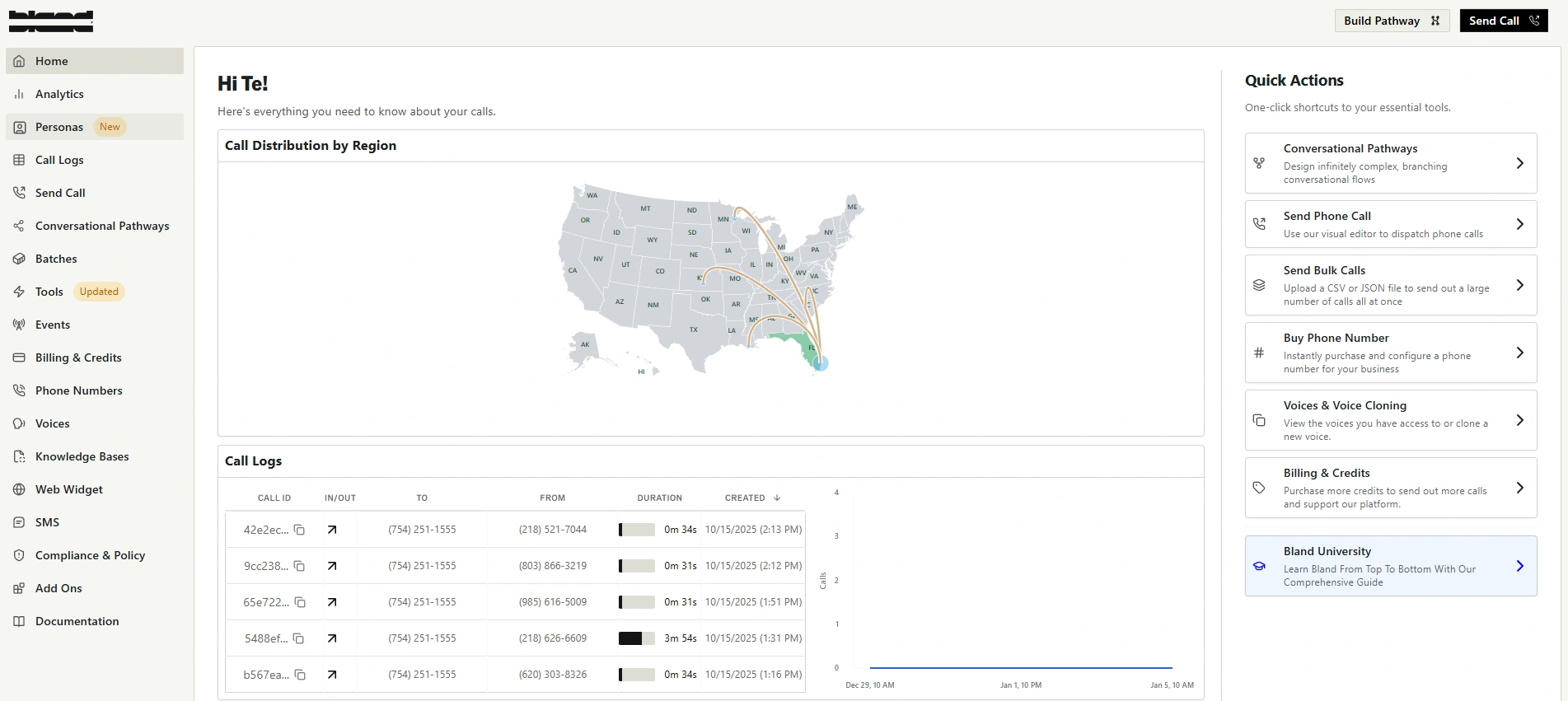 The Bland dashboard is packed with features but has a steeper learning curve.
When I first logged into Bland, I liked the look of it. However, I have to be honest. If you are a beginner, it can be quite confusing.
There are loads of options. Both the website and the application itself are packed with features. It is not a simple drag-and-drop experience where you are done in five minutes. You have to look around and understand where everything is.
If you are not technical, I would not recommend this at all. There is a steep learning curve. In my experience, setting up the webhooks took a bit of time. I had to really dig in to understand how they work, how to test them properly, and how to connect them to my other services.
The Voices
One thing I looked at closely was the voice selection. Bland AI has about a hundred voices. This is a bit different from competitors where you might find thousands.
However, the quality is extremely good. Even though you do not have much variety, the voices they do have sound very human.
One downside is that you cannot import voices from ElevenLabs. I know many people use ElevenLabs for their custom voices, and you cannot bring those in here. That is a missing feature in my opinion.
But, they do have a voice cloning feature. I tested this and it is actually pretty good. You can clone your own voice or a specific brand voice, and it sounds very close to the original.
Building with "Pathways"
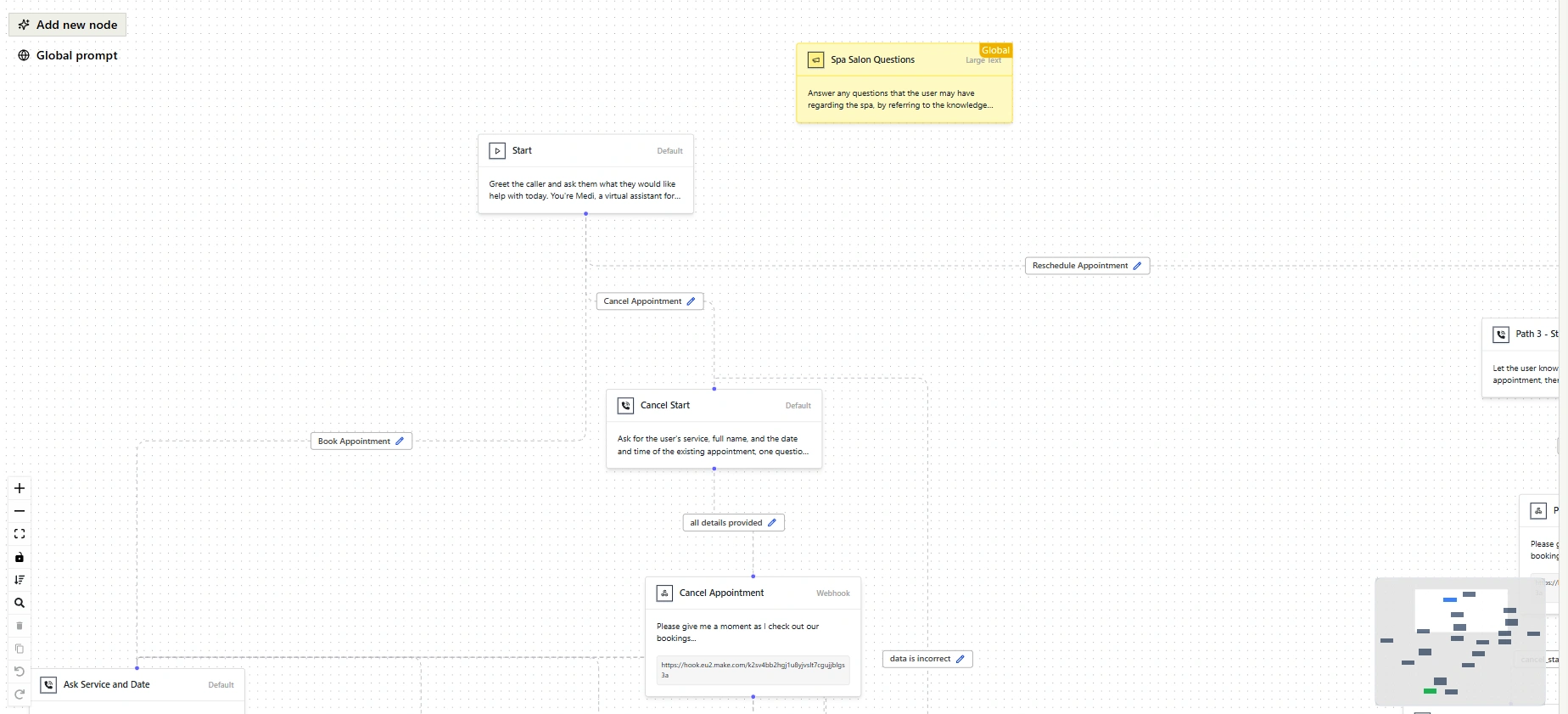 Conversational Pathways allow you to map out complex, non-linear logic visually.
This is where Bland AI is very different from other tools I have used. They specialize in building agents using "Pathways" instead of just giving the AI a simple text prompt.
A simple prompt is easy to write, but it leaves a lot of room for errors. A Pathway is like a flowchart. You map out the conversation.
- Node A: The AI greets the customer.
- Node B: The AI asks for the service type.
- Node C: The AI checks the calendar.
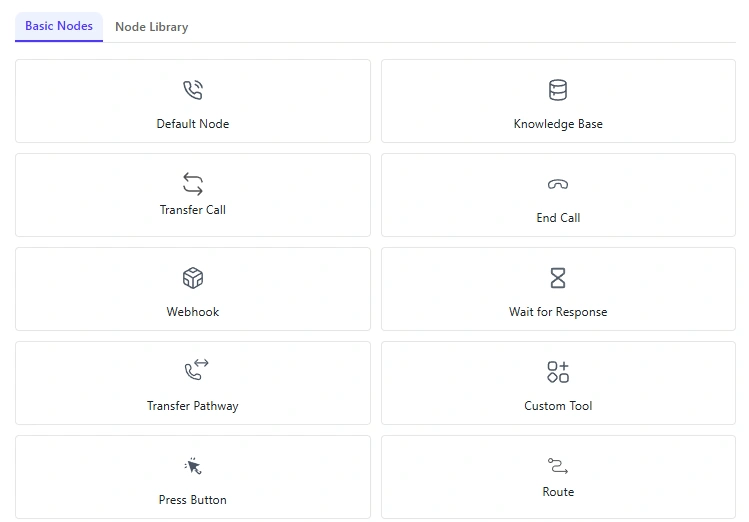 Nodes define specific actions and responses within the conversation flow.
This approach gives you way more control. For my Spa agent, this was crucial. I could control exactly what the agent should say and when.
It feels like having one main agent with multiple "sub-agents" inside it. Each part of the flow specializes in one thing. One part handles the greeting, another handles the booking, and another handles the farewell.
Because of this "Big AI Brain" powering everything, the context management is impressive. If the user is in the middle of booking a massage but suddenly wants to change a detail they mentioned three minutes ago, the AI handles it. It knows how to go back to a previous "node," change the detail, and then come back to the current conversation.
The Result
The Spa agent I built sounded fantastic. In fact, it sounded way better than the agent I built on VAPI. The realism and the flow of conversation were superior.
However, I spent way more time building it on Bland compared to VAPI. Because you have to build out these pathways and set up the logic manually, it is a slower process. You are trading speed of setup for control and quality.
Features
Here are the specific features that stood out to me during my testing.
- Conversational Pathways: This is their standout feature. You can build complex, non-linear conversation trees. This ensures the AI follows your business logic strictly rather than hallucinating answers.
- Hyper-Realistic Voices: The proprietary technology they use makes the voices sound very natural. The latency (the delay before the AI speaks) is very low.
- Voice Cloning: You can upload samples of a voice to create a custom clone for your agent.
- Interruption Handling: The AI is smart enough to stop talking instantly if the user interrupts it. This is huge for making the call feel real.
- Tool Usage: The agents can be programmed to use external tools. They can check your calendar, send an SMS, or update a database while the call is happening.
- Multi-Language Support: They support real-time conversation in multiple languages, which is great for international businesses.
Pros and Cons
Here is a quick breakdown of the good and the bad based on my time with the platform.
Pros
- Superior Sound Quality: The voices sound extremely realistic and better than many competitors.
- High Control: The Pathways system allows you to dictate exactly how the conversation should flow.
- Smart Context: The AI remembers details and can jump back and forth in a conversation without getting lost.
- Voice Cloning: The built-in cloning tool works very well.
- Sub-Agent Logic: It feels like having a team of specialized agents handling different parts of the call.
Cons
- Steep Learning Curve: It is confusing for beginners. The interface has too many options if you don't know what you are doing.
- Time-Consuming: Building a proper agent takes much longer than using simple prompt-based platforms.
- Limited Voice Library: You only get about 100 voices and cannot import from external libraries like ElevenLabs.
- Technical Knowledge Required: You really need to understand webhooks and logic flows to get the most out of it.
Pricing
Bland AI operates on a usage-based model, which is standard for this industry.
- Base Cost: You generally pay around $0.09 per minute for calls.
- Subscription Tiers: They have different tiers (Build, Scale, Enterprise) that range from roughly $299/month to $499/month. These tiers usually give you higher rate limits and more concurrent calls.
- Hidden Costs: Be aware that things like voice cloning or premium features can sometimes add to the cost.
It is not the cheapest option on the market, but considering the quality, the price is fair for businesses that need high-performance agents.
Verdict
Bland AI is a powerhouse, but it is a specific tool for a specific type of user.
If you are a developer or an automation expert who wants total control over your voice agent, this is for you. The "Pathways" system lets you build robust, reliable agents that sound incredible. My Spa agent sounded amazing and handled complex interruptions perfectly.
However, if you are a business owner with zero technical skills looking for a "plug and play" solution, this will be too difficult. The interface is crowded, and setting up webhooks requires patience and technical know-how.
I like it. I like the control it gives me. But make sure you are ready to spend the time to build it right.
Rating Breakdown
- Ease of understanding: 6.0
- Setup & onboarding: 6.5
- Pricing & value: 8.0
- Features: 9.2
- Integrations: 8.5
- Reliability: 9.0
- Speed & performance: 9.5
- Support & docs: 7.5
- Customization: 9.0
- Usefulness / ROI: 8.5
Total Rating: 8.2 / 10